

How to Check if iPhone Is Unlocked Before Selling
You’re filling out a trade-in form when it asks for the carrier. The choices include AT&T, Verizon, T-Mobile, and Unlocked, but you can’t remember what happened after you paid off the phone.
Guessing can produce a quote for the wrong carrier status. An unlocked iPhone may receive a different offer because it can connect to compatible networks from more carriers. Paying off the phone doesn’t always mean the unlock has been completed.
The most reliable way to check is through the Carrier Lock setting on the iPhone, followed by confirmation from the current carrier if the result is missing or unclear.
This article explains how to check if an iPhone is unlocked, how carrier locks differ from other phone restrictions, what to do if the result looks wrong, and how the confirmed status can affect resale value.
What Does an Unlocked iPhone Mean?
An unlocked iPhone can connect to compatible mobile networks from different carriers.
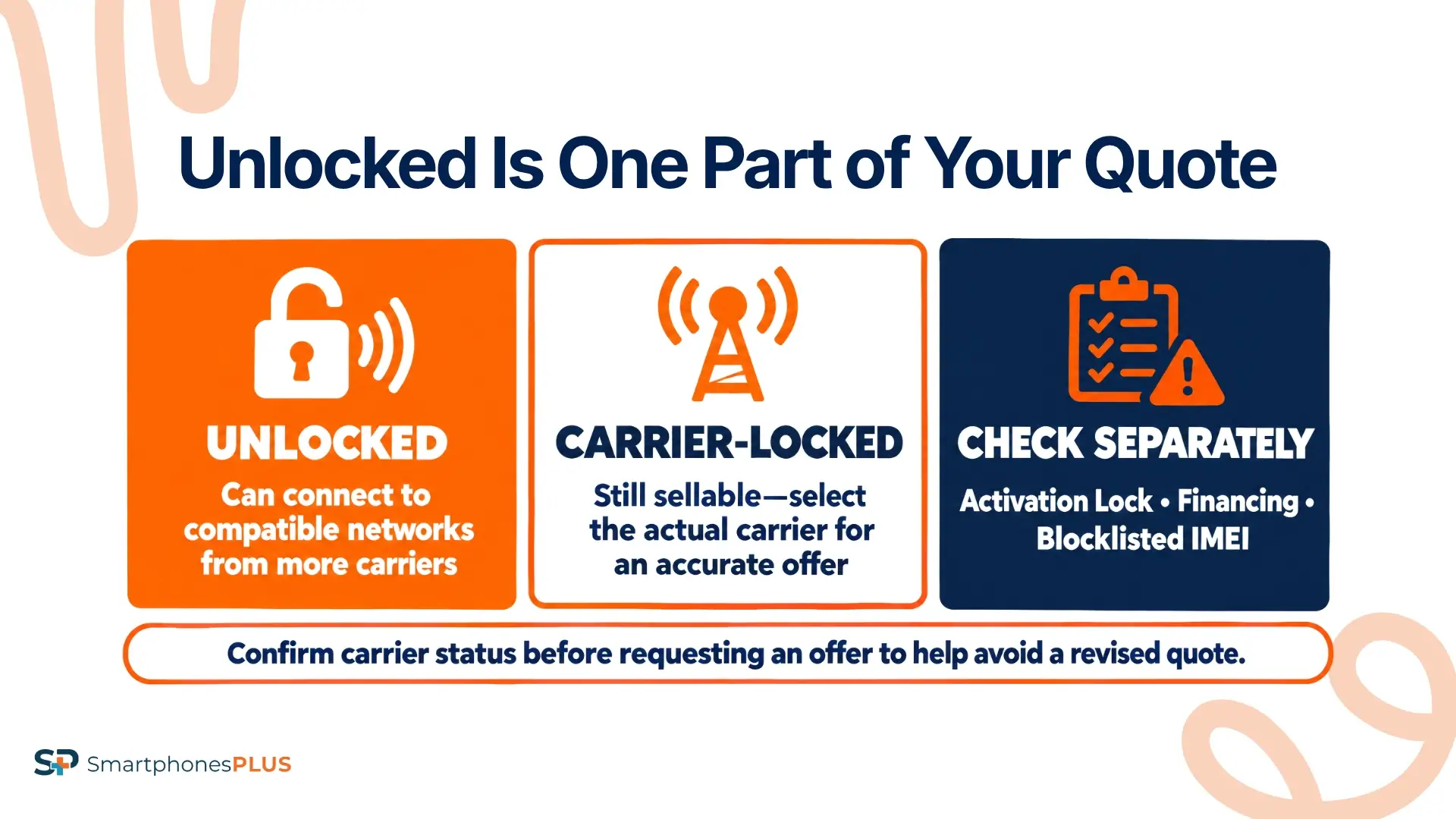
The word “unlocked” only describes a carrier restriction. It doesn’t confirm that the phone is fully paid off, free from account locks, or eligible for resale.
Several other phone statuses are easy to confuse with a carrier lock:
- Activation Lock connects the iPhone to an Apple Account through Find My.
- Passcode lock prevents someone from opening and using the screen.
- Blocklisted IMEI may indicate that a phone was reported lost or stolen or has another carrier-related problem.
- Outstanding financing means money is still owed on the device or account.
A phone can pass an iPhone unlocked check and still have one of these other problems. It can also be carrier-locked without having an Apple Account or screen lock attached.
Check each status separately before requesting a quote or handing the device to its next owner.
How to Check if iPhone Is Unlocked
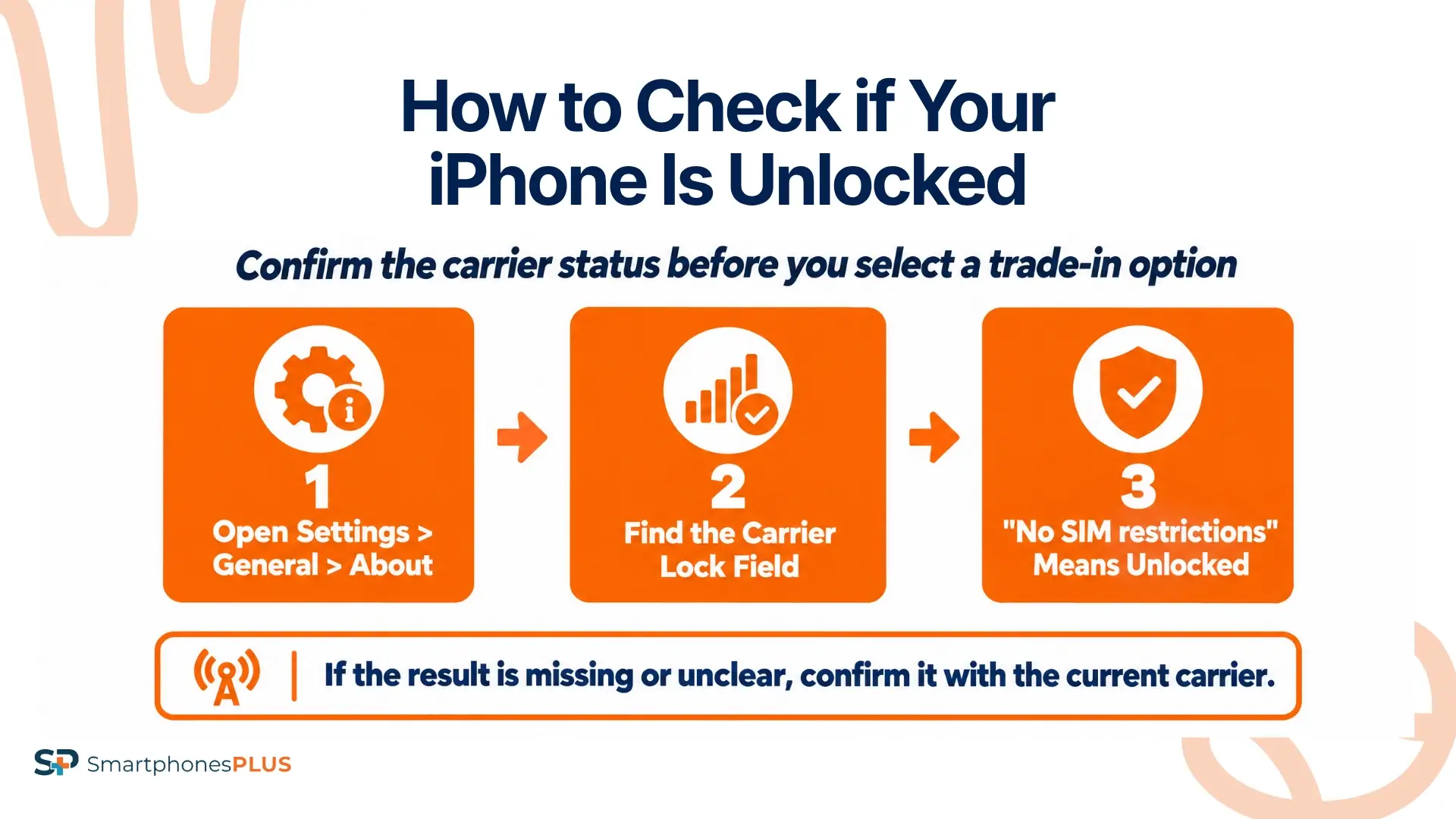
Start with the iPhone itself. If the result is missing, unclear, or different from what you expected, check with the carrier.
1. Start With the Carrier Lock Setting
Open Settings, tap General, and select About. Scroll down until you find Carrier Lock.
If “No SIM restrictions” appears beside Carrier Lock, Apple says the iPhone is unlocked. You can select Unlocked when a trade-in form asks for the carrier status.
Another message may mean the iPhone is still tied to a carrier. Don’t select Unlocked based only on the phone being paid off or working with its current SIM.
If Carrier Lock is missing, don’t guess. The troubleshooting section below explains how to check if an iPhone is unlocked when Settings doesn’t give you a clear answer.
Apple’s iPhone unlocking instructions use the Carrier Lock screen as the first check.
2. Confirm Unclear Results With the Carrier
Contact the carrier currently connected to the iPhone if Settings doesn’t show “No SIM restrictions.” The carrier can check the device in its system and tell you if an unlock has been completed.
Apple can’t unlock an iPhone for use on another network. Only the carrier that placed the restriction can approve and process the request.
Have the account information and IMEI ready. An IMEI is a unique number used to identify the phone on mobile networks. You can find the IMEI under Settings, General, and About. You can also enter *#06# in the Phone app to display it automatically.
The SmartphonesPLUS guide to what an IMEI number means explains how buyers use it during a sale.
Don’t post the full IMEI in a public listing or social media message. Share it only through a buyer or carrier process you trust.
3. Use Another SIM as a Backup Test
An active SIM or eSIM from another compatible carrier can give you a useful backup check.
Insert the physical SIM or activate the eSIM, then give the iPhone time to connect. Place a call or check for cellular service. If the phone activates and connects to the other network, it is likely unlocked.
An unsupported SIM message suggests that a carrier restriction may remain. Contact the original carrier before assuming that the phone or new SIM has a technical problem.
Changing the SIM tests the current status. It doesn’t unlock the iPhone or approve an unlock request.
Network compatibility can create a separate problem. An unlocked phone may not support every band, feature, or carrier, so a failed connection doesn’t always prove that the phone is locked.
4. Treat IMEI Tools as Secondary Checks
Third-party IMEI tools can provide supporting information, but their data may be delayed, incomplete, or labeled differently. Don’t treat their results as more reliable than the Carrier Lock setting or the carrier’s records.
IMEI24’s iPhone lock checker is one third-party example. It isn’t operated by Apple, a carrier, or SmartphonesPLUS. Read the site’s terms and privacy information before entering a device number.
Avoid unfamiliar sites that request an Apple Account password, carrier password, payment information, or unnecessary personal details. A legitimate carrier-status check doesn’t need access to your Apple Account.
If an IMEI tool and the carrier disagree, treat the carrier’s system as the deciding source.
What If the Result Looks Wrong?
Start by updating iOS and restarting the iPhone. Return to Settings, General, and About, then check Carrier Lock again.
A carrier-approved unlock may not appear immediately. Apple says the carrier can take a few days to complete an unlock request. Contact the carrier to check the status instead of submitting another request right away.
A recently paid-off phone may still show a restriction because carrier requirements and processing times vary. Paying the final bill and completing the unlock are separate steps.
If the carrier says the iPhone is unlocked, but another SIM produces an error, confirm that the SIM is active and compatible with the phone. Share the exact error message with both carriers if the problem continues.
A third-party IMEI result may also disagree with the carrier. Don’t change the trade-in selection based on that result alone.
Choose Unlocked on a trade-in form only after Settings displays “No SIM restrictions” or the carrier confirms that the process is complete. That gives the buyer accurate information and reduces the chance of a revised quote after inspection.
How Do You Unlock an iPhone?
Only the current carrier can unlock an iPhone.
Contact the carrier and ask about its eligibility rules. Requirements may include paying off the device, keeping the account in good standing, meeting a minimum service period, and confirming that the phone hasn’t been reported lost or stolen.
The rules vary by carrier, and military deployment or older accounts may be handled differently.
Once the carrier approves the request, wait for it to finish and check Settings again. Look under General, About, and Carrier Lock for “No SIM restrictions.”
An active SIM or eSIM from another carrier can complete or confirm the process. If you don’t have one, Apple may direct you to back up the iPhone, erase it, and restore it from the backup after carrier approval.
Don’t erase the phone before confirming that the backup works. A factory reset by itself won’t remove the carrier restriction.
The FCC’s cell phone unlocking guide provides more background on carrier unlocking policies and consumer questions.
How Does Unlocking Affect Resale Value?
An unlocked iPhone gives buyers more carrier options. This can affect the unlocked vs. locked resale value, although the price difference depends on the model and current demand.
Carrier-locked iPhones can still be sold through SmartphonesPLUS. Select the actual carrier when requesting the quote so the offer matches the phone that will be inspected.
The table compares Unlocked and AT&T versions of the same models. Storage and condition stay the same within each pair, which keeps the unlocked vs. locked resale value comparison focused on carrier status.
| Model and condition | Carrier status | Live offer | Product details |
| iPhone 16 Pro Max, 256GB, Good | Unlocked | $524 | Product details |
| iPhone 16 Pro Max, 256GB, Good | AT&T | $399 | Product details |
| iPhone 14, 128GB, Good | Unlocked | $159 | Product details |
| iPhone 14, 128GB, Good | AT&T | $130 | Product details |
| iPhone 13, 128GB, Good | Unlocked | $140 | Product details |
| iPhone 13, 128GB, Good | AT&T | $129 | Product details |
Compare each pair to see the current difference. The size of the gap isn’t consistent across every model, and storage, condition, age, functionality, and demand still affect the quote.
Our guide to what affects phone trade-in value covers the other major factors. You can also compare current iPhone trade-in values before selling.
Check the Status Before Requesting an Offer
If you’re still asking “Is my iPhone unlocked?” start with Carrier Lock under Settings, General, and About. Contact the carrier if the result is missing or unclear. Another SIM and a third-party IMEI tool can support that answer, but neither should overrule the carrier’s records.
Finish your iPhone unlocked check before requesting an offer. Carrier status is only one part of the quote, but selecting the wrong option could lead to a revised price after inspection.
Once you know how to check if an iPhone is unlocked and have confirmed the result, select the correct carrier status on the SmartphonesPLUS iPhone selling page to see the current cash offer.
Frequently Asked Questions
Does factory resetting unlock an iPhone?
No. A factory reset erases personal data, apps, accounts, and settings, but it doesn’t remove a carrier restriction. Only the current carrier can approve and complete an unlock. Confirm the carrier status separately after the reset.
Does changing the SIM unlock an iPhone?
No. A SIM or eSIM from another compatible carrier can test the status and may help finish activation after an approved unlock. Inserting it doesn’t approve the request or remove a restriction placed by the original carrier.
Is unlocked the same as clean IMEI?
No. An unlocked iPhone can still have outstanding financing, appear on a carrier blocklist, or be reported lost or stolen. Carrier status and IMEI status are separate checks, so confirm both before buying, selling, or requesting a trade-in quote.
Does unlocking erase your iPhone data?
Carrier unlocking normally doesn’t erase the iPhone. If you don’t have another carrier’s SIM or eSIM, Apple may direct you to back up, erase, and restore the device to finish the process. Confirm the backup before following those steps.
Can you sell a carrier-locked iPhone?
Yes. SmartphonesPLUS accepts carrier-locked iPhones. Select the phone’s actual carrier instead of choosing Unlocked. Entering the correct status helps the original quote match what the inspection finds after the phone arrives.


