

Sell Samsung Galaxy S24 Without Pricing the Wrong Phone
You reach the model question on a trade-in form and see four similar names: Galaxy S24, S24+, S24 Ultra, and S24 FE. Choosing the wrong one can give you a quote for a completely different phone.
The standard Galaxy S24 is the 6.2-inch model without a built-in S Pen. It comes with 128GB or 256GB of storage. Once you confirm the model, its storage, carrier, and condition help determine the offer.
If you plan to sell a Samsung Galaxy S24, check the model name first. This article will help you identify it, check its current value, and choose the right condition.
How Much Is a Galaxy S24 Worth?
When checked on September 4, 2026, the highest SmartphonesPLUS offer for a standard Galaxy S24 was $241 for an Unlocked 256GB phone in Flawless condition.
That maximum doesn’t apply to every S24. Samsung made the standard phone with 128GB or 256GB of storage, and the offer can change with its carrier and condition. The table uses matching details so you can see what changes one factor at a time.
| What it compares | Storage | Carrier | Condition | Product details | Current live offer |
| Storage | 128GB | Unlocked | Good | Product details | $201 |
| Storage | 256GB | Unlocked | Good | Product details | $216 |
| Carrier | 256GB | AT&T | Good | Product details | $164 |
| Carrier | 256GB | Verizon | Good | Product details | $148 |
| Carrier | 256GB | T-Mobile | Good | Product details | $151 |
| Carrier | 256GB | US Cellular | Good | Product details | $190 |
| Condition | 256GB | Unlocked | Flawless | Product details | $241 |
| Condition | 256GB | Unlocked | Fair | Product details | $125 |
| Condition | 256GB | Unlocked | Broken | Product details | $37 |
| Nonworking phone | Not selected | Not selected | No Power | Product details | $0 |
These prices update through the live feed. Use the row that matches your standard S24 rather than treating the largest number as your Galaxy S24 trade-in value. The other S24 models have separate pricing.
Which Galaxy S24 Model Do You Have?
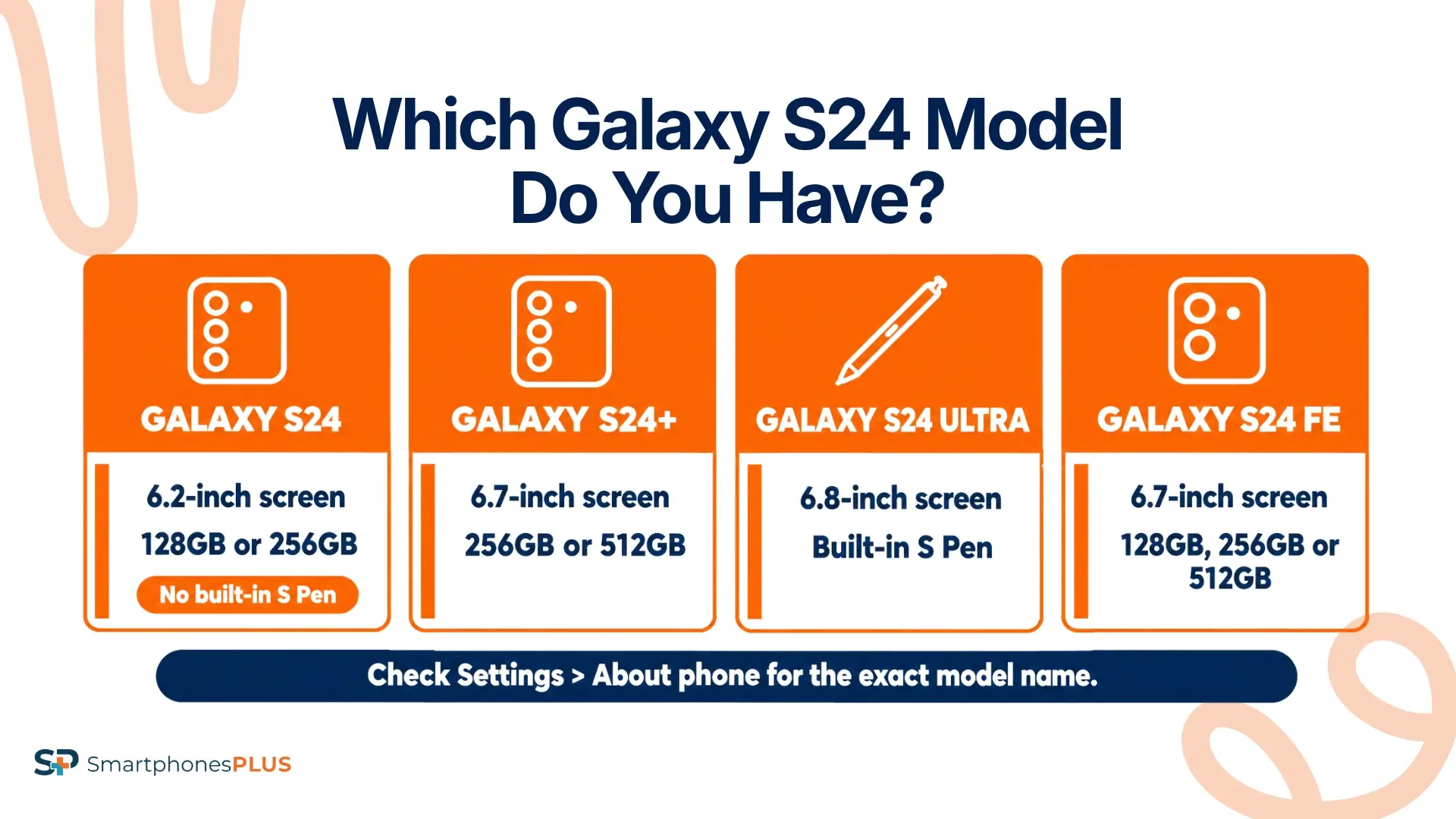
You can identify the exact model by opening Settings and tapping About phone. Samsung says this screen displays the model name and model number. Check the Storage section in Settings next so you don’t rely on the size you remember ordering.
The model name in Settings is more reliable than appearance. Screen size and cameras may help when the phone won’t turn on, but the S24+ and S24 FE both have 6.7-inch screens.
| Phone | Screen | Quick physical clue | Available storage | Correct selling page |
| Standard Galaxy S24, covered here | 6.2 inches | Three rear cameras, no built-in S Pen | 128GB or 256GB | Sell a Samsung Galaxy S24 |
| Galaxy S24+ | 6.7 inches | Three rear cameras, larger body | 256GB or 512GB | Sell a Samsung Galaxy S24+ |
| Galaxy S24 Ultra | 6.8 inches | Four rear cameras and built-in S Pen | 256GB, 512GB, or 1TB | Sell a Samsung Galaxy S24 Ultra |
| Galaxy S24 FE | 6.7 inches | Three rear cameras, 10MP front camera | 128GB, 256GB, or 512GB | Sell a Samsung Galaxy S24 FE |
Samsung’s S24 model comparison confirms the screen, camera, storage, and S Pen differences in the table. If the About phone screen says S24+ or S24 FE, don’t use the standard model’s price as your S24 worth estimate.
What Changes Galaxy S24 Trade-In Value?
The Galaxy S24 trade-in value changes with the phone’s storage, carrier status, appearance, function, and ownership details. Check each one before you choose a condition.
Storage and Carrier Status
The standard S24 has either 128GB or 256GB. Storage can change the offer, but more capacity doesn’t automatically outweigh a damaged screen or failed camera. Confirm the amount shown under Settings > Storage and choose that exact option.
Carrier status is a separate detail. A phone bought through AT&T, Verizon, T-Mobile, or US Cellular isn’t automatically unlocked because it has been paid off. Each carrier has its own requirements and may need to process an unlock request. If you aren’t certain, contact the carrier and have the IMEI ready.
Someone asking, “How much is my S24 worth?” needs both answers before using a price. Selecting Unlocked for a carrier-locked phone can lead to a different offer after inspection.
Screen, Frame, and Cameras
Take the case off and inspect the phone under bright light. Look for cracked front or back glass, deep scratches, dents, bent edges, gaps around the frame, and damage near the camera lenses. A case can hide a chipped corner that changes the condition.
Turn the display on and fill it with a plain white or gray image. Check for burn-in, discolored areas, black spots, dead pixels, flickering, and places where touch input stops responding. Then open the Camera app and test the front camera plus all three rear cameras. Try focus, zoom, flash, photos, and a short video.
If you plan to sell a Samsung Galaxy S24 with cosmetic or camera damage, describe the problem instead of choosing a higher grade based on the parts that still look good. SmartphonesPLUS says it buys broken Samsung phones, including devices with broken screens, bad batteries, and screen burn.
Battery and Core Functions
Charge the phone with a known working cable and check that the USB-C connection stays steady. Test the volume and side buttons, speakers, microphones, vibration, Wi-Fi, Bluetooth, and fingerprint reader. Make a short call if service is active, then listen for audio problems on both ends.
A weak battery isn’t the same as a phone that won’t power on. Note fast draining, overheating, unexpected restarts, or a battery warning when choosing the closest condition. If the phone starts but another function fails, compare the Broken description with the No Power option instead of treating them as interchangeable.
These tests give you a clearer picture of the phone’s condition. A clean screen and frame don’t make up for a feature that no longer works when you check a “sell my Samsung S24” quote.
Accounts and Ownership
Remove the Google and Samsung accounts before shipment. SmartphonesPLUS doesn’t accept a phone with either account still active, so follow the company’s steps for removing connected accounts before resetting the device.
Check the carrier balance and IMEI too. The product page says a phone reported lost or stolen isn’t accepted, and a device with a balance, active account, or mobile device management may receive a lower value. These checks are separate from physical condition.
If you’re thinking, “I want to sell my Samsung S24,” confirm ownership details before you erase it. A factory reset removes personal data, but it doesn’t pay the carrier balance or change a carrier lock.
Should You Sell Your Samsung Galaxy S24 Before Upgrading?
Selling before an upgrade may make sense if you already know the S24 won’t be used after your new phone arrives. Checking its current offer gives you a number to include in your upgrade budget without committing you to a sale.
If the S24 is still your daily phone, wait until your replacement is ready and you’ve moved your data. If it’s already unused, compare the offer with how useful it would be as a backup.
New Galaxy releases can bring more used S24 phones onto the market, although no one can predict the next price change. If you’re asking, “How much is my S24 worth before I upgrade?” confirm the model first. If you plan to sell a Samsung Galaxy S24, the current Galaxy S24 trade-in value gives you a useful starting point.
How Do You Sell Samsung Galaxy S24?
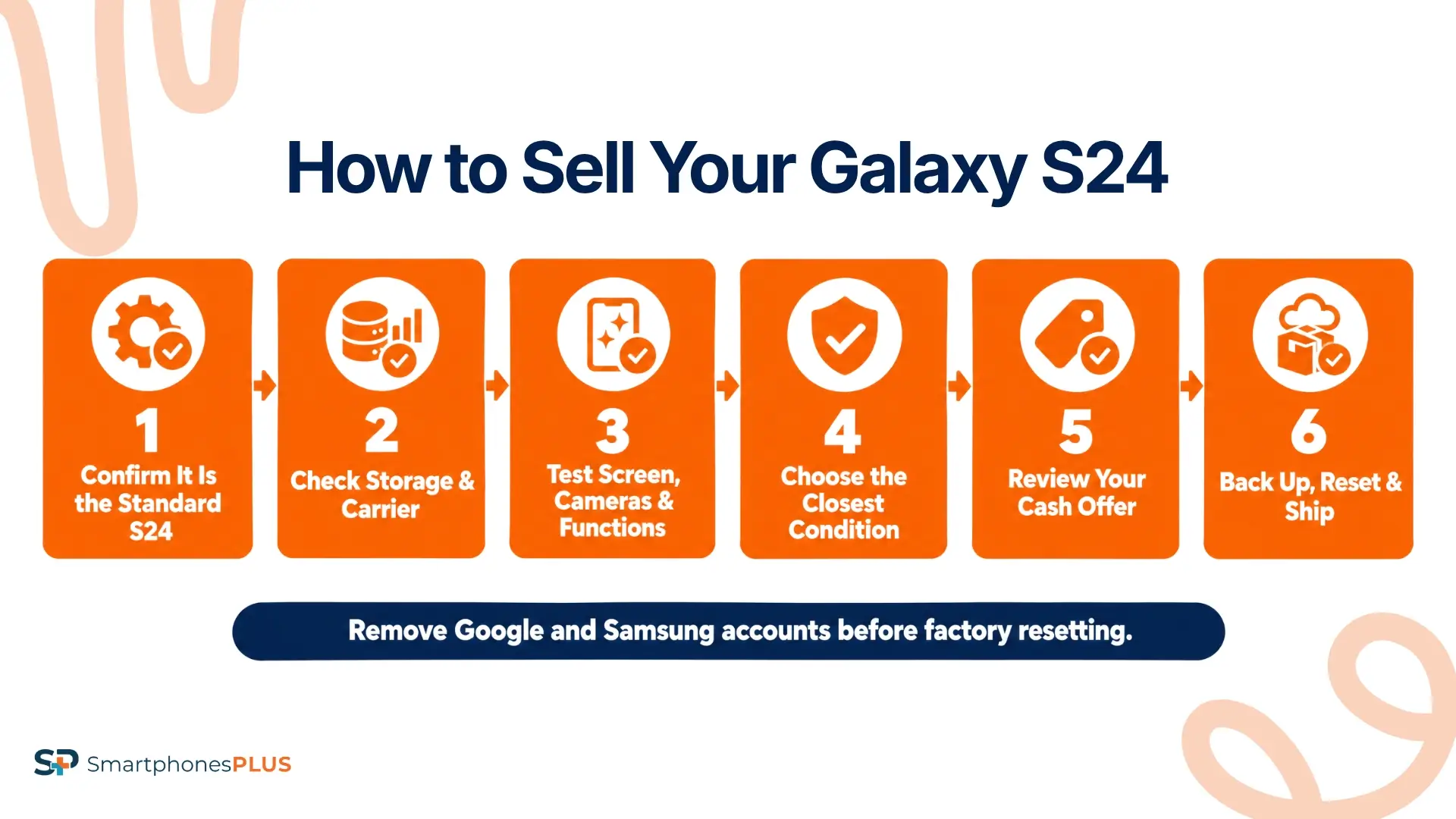
You can sell the Samsung Galaxy S24 after confirming that you have the standard model and matching the quote to its details. Use this order:
- Open Settings > About phone and confirm that the model name is Galaxy S24.
- Check the storage capacity and carrier or unlocked status.
- Remove the case and test the screen, cameras, charging, buttons, sound, and connections.
- Choose the closest condition on the standard Galaxy S24 page.
- Review the live cash offer before submitting the order.
- Back up your data, remove your Google and Samsung accounts, and follow Samsung’s factory reset instructions.
- Remove the SIM, package the phone securely, and ship it with the prepaid label for inspection.
Payment is sent after the submitted model, storage, carrier, and condition are confirmed. If you’ve been asking, “How do I sell my Samsung S24 without a revised quote?” the best step is to enter the details shown on the phone and describe any damage or failed function accurately.
One Model Check Prevents a Bad Quote
The standard S24 has its own pricing page, so confirm the model in Settings before relying on an offer. Then use its storage, carrier, condition, account, and financing details to answer “What is my S24 worth?” more accurately.
New releases and resale demand can change the price. If you plan to sell a Samsung Galaxy S24, check the current Galaxy S24 trade-in value again when you’re ready.
If About phone shows another Galaxy model, use the main Samsung selling page to find the right option.
Frequently Asked Questions
How do I sell Samsung Galaxy S24?
If your search was “sell my Samsung S24,” start by confirming the standard model under Settings > About phone. Then select its storage, carrier, and closest condition, review the offer, remove connected accounts, reset the phone, and ship it with the prepaid label. Payment follows inspection.
Is the Galaxy S24 the same as S24 FE?
No. The standard S24 and S24 FE are different phones with separate product pages and prices. The standard S24 has a 6.2-inch screen, while the S24 FE has a 6.7-inch screen. About phone gives you the exact model name.
Does storage change the S24 offer?
Yes. The standard Galaxy S24 comes with 128GB or 256GB, and the live offers can differ between those capacities. Match the storage in Settings to the quote rather than estimating your phone’s capacity.
Can I sell a cracked Galaxy S24?
You may still receive an offer for a cracked phone. Choose the condition that includes the screen, back glass, or camera damage instead of submitting it as a working device with ordinary wear.
Does a factory reset remove the carrier lock?
No. A factory reset erases data and settings, but it doesn’t change the phone’s carrier restriction. Contact the carrier to confirm the lock status before selecting Unlocked on the quote form.


