
How to Sell Your Phone Online in 7 Steps Without Losing Money or Data
You have an old phone, several quote tabs, and no clear idea what happens after you send the device away. One site shows a cash offer, another shows a carrier promotion, and a private marketplace suggests a much higher listing price.
Figuring out how to sell your phone online takes more than choosing the largest number. Fees, required plans, shipping costs, condition checks, and revised offers can change how much you receive. You also need to protect your photos, accounts, phone number, and login access before the device leaves your hands.
This article explains the full selling process. You’ll compare selling methods, check your phone’s value, remove personal data, prepare the device, ship it safely, understand the inspection, and confirm your payment.
What Does Selling Your Phone Online Involve?
Selling a phone online involves choosing a buyer or platform, identifying the exact device, checking its value, removing personal data, shipping or handing it over, and completing the payment process.
A buyback company purchases the phone directly and usually pays after inspecting it. On a private marketplace, you create the listing, communicate with the buyer, and handle the transaction yourself.
A carrier, manufacturer, or retailer may provide store credit, bill credits, or upgrade value instead of cash. Once you know how to sell your phone online, it’s easier to compare offers that use different payment methods.
These offers don’t always measure the same thing. Trade-in value may describe a direct cash offer, standard store credit, or a promotion tied to a new purchase. Our explanation of what trade-in value means covers those differences in more detail.
Where Should You Sell Your Phone?
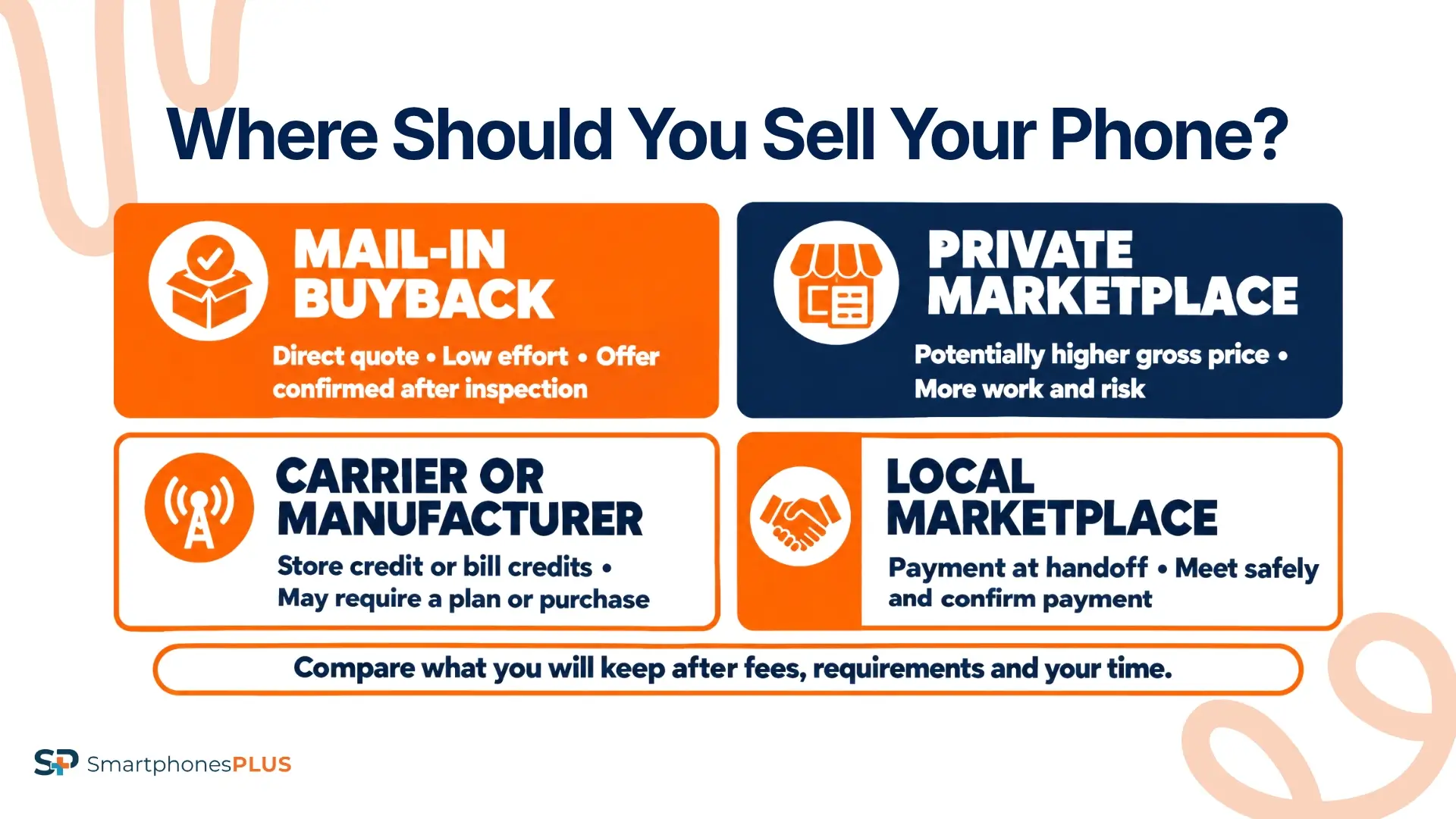
The best way to sell your phone depends on how you want to balance price, time, flexibility, and seller effort. The highest possible sale price may come with more fees, work, or risk.
| Selling method | Good fit for | Payment type | Seller effort | Main tradeoff |
| Mail-in buyback | Sellers who want a direct quote with less work | Cash or another selected payout method after inspection | Low | The verified condition can change the offer |
| Private marketplace | Sellers willing to manage the transaction for a potentially higher gross price | Buyer payment minus applicable fees | High | Listings, messages, fraud risk, returns, and slower sales |
| Carrier or manufacturer trade-in | Someone upgrading through the same company | Store credit or monthly bill credits | Low to medium | The value may require a new purchase or qualifying plan |
| Local marketplace | Sellers who prefer an in-person exchange | Direct payment at handoff | Medium | No-shows, low offers, and meeting safety |
A mail-in buyback can work well if you want a direct cash offer without negotiating with strangers. SmartphonesPLUS is one option that provides an online quote, prepaid shipping, inspection, and several payment methods.
A private listing may produce a higher gross price, but you’ll need to create the listing, answer questions, screen buyers, and manage payment. Platform fees, shipping, returns, and your time can reduce the amount you keep.
Carrier offers can be attractive when you already plan to buy a new phone and keep the required service. Check the plan cost and credit schedule before comparing a promotional maximum with a cash offer.
If you’re still deciding where to sell your phone, compare how much you’ll keep after costs and how much work each option requires. Our trade-in versus private sale comparison can help you narrow the choices.
How to Sell Your Phone Online in Seven Steps
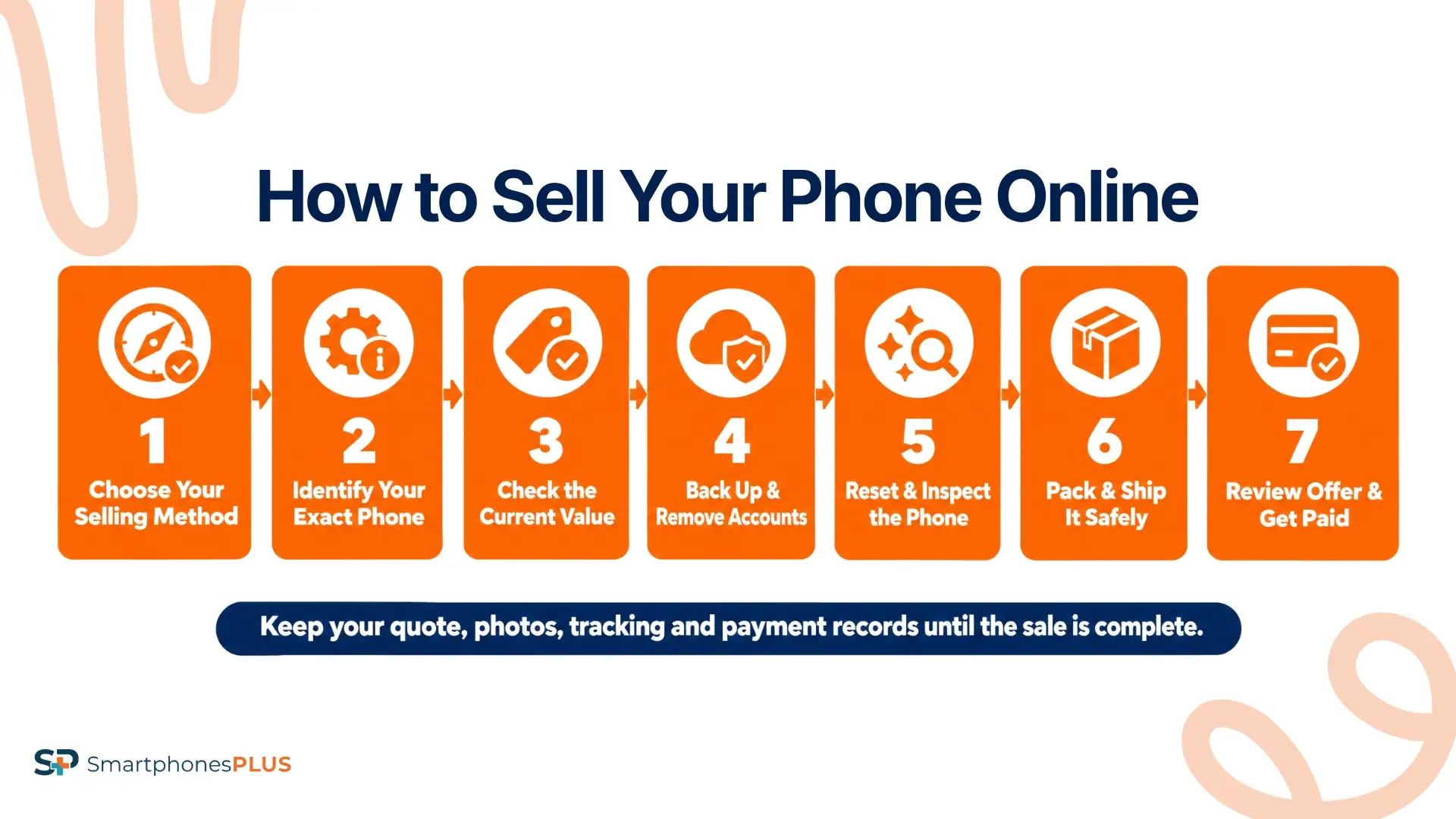
These seven steps show how to sell your phone online through a buyback service or private marketplace. The handoff, inspection, and payment details change with the method.
1. Choose Your Selling Method
Use the comparison above to narrow your choices to one or two methods. For each option, write down how much you expect to keep after fees, how you’ll be paid, and how long the sale may take.
Include any extra requirements in that comparison. A carrier promotion may require a certain plan or new phone, while a private marketplace may charge selling and payment fees.
Read the current terms before handing over the device. Check what happens if the buyer gives you a revised offer or you decide not to accept it.
2. Identify Your Exact Phone
An accurate price starts with the exact device. Record these details before comparing offers:
- Model and model variant
- Storage capacity
- Carrier or unlocked status
- Cosmetic and functional condition
- IMEI or serial number if the buyer requests it
On an iPhone, open Settings, General, and About. Most Android phones place these details under Settings and About phone. Menu names can vary by manufacturer.
The IMEI is a unique number used to identify a mobile device. A buyer may use it to check the carrier or blocklist status, but you shouldn’t display the complete number in a public listing.
You can start with the Sell an iPhone or Sell a Samsung phone page if you own one of those brands.
3. Check Value Before You Sell Your Phone Online
Knowing how to sell your phone online means comparing the same configuration across every offer. Match the model, storage, carrier, and condition instead of comparing prices for two different versions of the phone.
Model age, storage, unlock status, damage, working parts, and resale demand can all affect the price. Read each company’s condition definitions before selecting a grade.
The table below shows live offers for several popular phones.
| Phone configuration | Live offer | Product details |
| iPhone 16 Pro Max, 256GB, Unlocked, Good | $524 | Product details |
| iPhone 14, 128GB, Unlocked, Good | $159 | Product details |
| iPhone 11, 128GB, Unlocked, Good | $80 | Product details |
| Samsung Galaxy S25 Ultra, 256GB, Unlocked, Good | $500 | Product details |
| Samsung Galaxy S24, 128GB, Unlocked, Good | $201 | Product details |
These examples use live SmartphonesPLUS offers for unlocked phones in Good condition with the listed storage. The amount shown can change with market demand and the details selected for each device.
You can check current iPhone values and current Samsung Galaxy values before choosing where to sell your phone.
4. Back Up and Remove Accounts
Back up any photos, contacts, messages, files, and app data you want to keep. Confirm that the backup works before erasing anything.
Sign out of your Apple, Google, or Samsung account and turn off Find My or the related activation protection. Remove the physical SIM and SD card, then arrange the transfer of your number and eSIM.
A carrier lock and account lock are different. A carrier lock ties the phone to a mobile network. An account lock can prevent the next owner from activating and using the device.
The FTC’s phone data removal guidance recommends backing up the phone, removing cards, and erasing personal information. Follow the SmartphonesPLUS account removal instructions for device-specific help.
5. Reset and Inspect the Phone
Factory reset the phone after checking your backup and removing the required accounts. A reset deletes the data stored on the device, so don’t begin until the files and login information you need are available elsewhere.
Clean the phone carefully and examine it under good lighting. Test the display, cameras, speakers, microphones, buttons, charging port, battery, Wi-Fi, Bluetooth, and cellular connection.
Take dated photos of the front, back, sides, and working screen before packaging the phone or meeting a buyer. Describe the condition honestly. Accurate details reduce the chance of a revised offer, dispute, or return.
6. Pack and Ship It Safely
Power off the phone and protect it against movement inside a sturdy box. Keep the shipping receipt and tracking number until the sale and payment are complete.
The SmartphonesPLUS selling process includes a trackable prepaid USPS label. If you don’t have a printer, the company emails a QR code that a USPS employee can use to print the label.
For a private marketplace sale, keep the messages and payment on the platform. That gives you a clearer record if the buyer opens a dispute.
Arrange local handoffs in a well-lit public place. Don’t hand over the phone until you’ve confirmed the agreed payment.
7. Review the Offer and Get Paid
An inspection checks that the model, storage, carrier, condition, functionality, and account status match the information submitted with the quote. The final offer may increase or decrease if the inspected phone differs from the original description.
If the inspection results in a lower offer, SmartphonesPLUS emails you with an explanation. Check your messages after delivery because the revised offer is automatically accepted if you don’t respond within seven days.
Payment options include Venmo, PayPal, bank transfer, gift card, prepaid card, and check. Standard processing usually takes two to three business days after the phone arrives. Express Payout shortens that time to one business day but reduces the final payment.
Keep your sale records until the payment has cleared.
Which Phones Can Still Be Sold?
Older, carrier-locked, and damaged phones may still have value. Knowing how to sell your phone online includes separating issues that lower the offer from those that can stop the sale.
SmartphonesPLUS accepts carrier-locked phones, but you need to select the correct network when requesting a quote. Cracked screens, screen burn, charging problems, water damage, and phones that don’t power on may also qualify under a damaged condition.
Apple Activation Lock, Google Factory Reset Protection, and Samsung account locks must be removed before another person can activate the phone. Describe any damage accurately instead of selecting a working grade.
SmartphonesPLUS can’t accept phones reported lost, stolen, or placed on a blocklist. Contact the carrier if you believe the status is incorrect.
A phone with no resale value should go to a responsible electronics recycler. The EPA’s electronics recycling guidance explains why phones and other electronics shouldn’t go into household trash or curbside recycling.
Choose the Selling Method That Fits
Knowing how to sell your phone online helps you compare more than the headline price. A successful sale starts with the right method, exact device details, protected personal data, an honest condition description, a trackable handoff, and a confirmed payment.
Phone offers and selling policies can change. Check the current terms and request a fresh quote instead of relying on an old dollar amount.
There’s no single best way to sell your phone. A private marketplace may offer more room to set the price. A carrier promotion may fit an upcoming upgrade. If a mail-in cash offer matches your priorities, you can sell your phone for cash through SmartphonesPLUS and review the current value before deciding.
Frequently Asked Questions
Do accessories increase the phone offer?
SmartphonesPLUS doesn’t require a charger or accessories, and including them doesn’t change its current phone offer. Accessories may make a private listing more appealing to buyers, but you shouldn’t assume a case, cable, charger, or original box will increase the final selling price.
Should you repair a cracked phone first?
Compare the full repair cost with the likely increase in the phone’s value. Professional screen or back-glass repairs can cost more than the added sale amount. If you don’t have repair experience, selecting the correct damaged condition may leave you with more money.
Can several phones be sold together?
Yes. You can add multiple devices to a standard SmartphonesPLUS selling order. Schools, companies, organizations, and people selling larger quantities can use the bulk trade-in process to submit the device types, conditions, and quantities for a separate quote.
What sale records should you keep?
Keep the original quote, model and IMEI records, carrier payoff confirmation, dated condition photos, tracking receipt, inspection messages, and payment confirmation. These records can help clarify what happened if there’s a disagreement about shipping, the phone’s condition, the offer, or payment.
What if the battery is swollen?
Don’t package or mail a phone with a swollen, leaking, or badly damaged battery until the buyer or carrier provides safe handling instructions. Damaged lithium-ion batteries can create a fire risk. Follow the EPA’s battery guidance for storage and disposal information.


