

Sell MacBook Air M2 Without Guessing Your Specs
You know your MacBook Air has an M2 chip, but that isn’t enough to get the right quote. The trade-in form also asks if it’s the 13-inch 2022 model or the 15-inch 2023 model. Then there’s the memory, GPU, charger, and condition to check.
Those details can lead to different offers, even when both computers have the same M2 name. Checking the Mac itself is more reliable than trying to remember what you ordered.
If you want to sell a MacBook Air M2, this article will help you identify its configuration, check its current value, and decide if a repair is worth considering.
How Much Is a MacBook Air M2 Worth?
When checked on September 4, 2026, the highest SmartphonesPLUS offer for a 13-inch 2022 M2 MacBook Air was $448 for a 24GB model with the 10-core GPU, a working charger, and Flawless condition. The highest offer for the 15-inch 2023 model was $495 for a 24GB Mac with a working charger in Flawless condition.
Each size has its own product page, so its prices are shown separately. The table also shows how memory, GPU, charger status, and condition can change a MacBook Air M2 trade-in offer.
| Model | Memory | M2 graphics | Charger | Condition | Product details | Current live offer |
| 13-inch 2022 | 8GB | 8-core GPU | Yes | Good | Product details | $274 |
| 13-inch 2022 | 8GB | 10-core GPU | Yes | Good | Product details | $304 |
| 13-inch 2022 | 16GB | 10-core GPU | Yes | Good | Product details | $313 |
| 13-inch 2022 | 24GB | 10-core GPU | Yes | Good | Product details | $351 |
| 13-inch 2022 | 24GB | 10-core GPU | No | Good | Product details | $313 |
| 13-inch 2022 | 24GB | 10-core GPU | Yes | Flawless | Product details | $448 |
| 13-inch 2022 | 24GB | 10-core GPU | Yes | Fair | Product details | $279 |
| 13-inch 2022 | 24GB | 10-core GPU | Yes | Broken | Product details | $73 |
| 15-inch 2023 | 8GB | 10-core GPU | Yes | Good | Product details | $345 |
| 15-inch 2023 | 16GB | 10-core GPU | Yes | Good | Product details | $366 |
| 15-inch 2023 | 24GB | 10-core GPU | Yes | Good | Product details | $409 |
| 15-inch 2023 | 24GB | 10-core GPU | No | Good | Product details | $374 |
| 15-inch 2023 | 24GB | 10-core GPU | Yes | Flawless | Product details | $495 |
| 15-inch 2023 | 24GB | 10-core GPU | Yes | Fair | Product details | $301 |
| 15-inch 2023 | 24GB | 10-core GPU | Yes | Broken | Product details | $59 |
Prices in the table update automatically, so use the row that matches your configuration. The MacBook Air M2 value shown for a 15-inch model shouldn’t be treated as the price of a 13-inch Mac with similar memory.
Which M2 MacBook Air Do You Own?
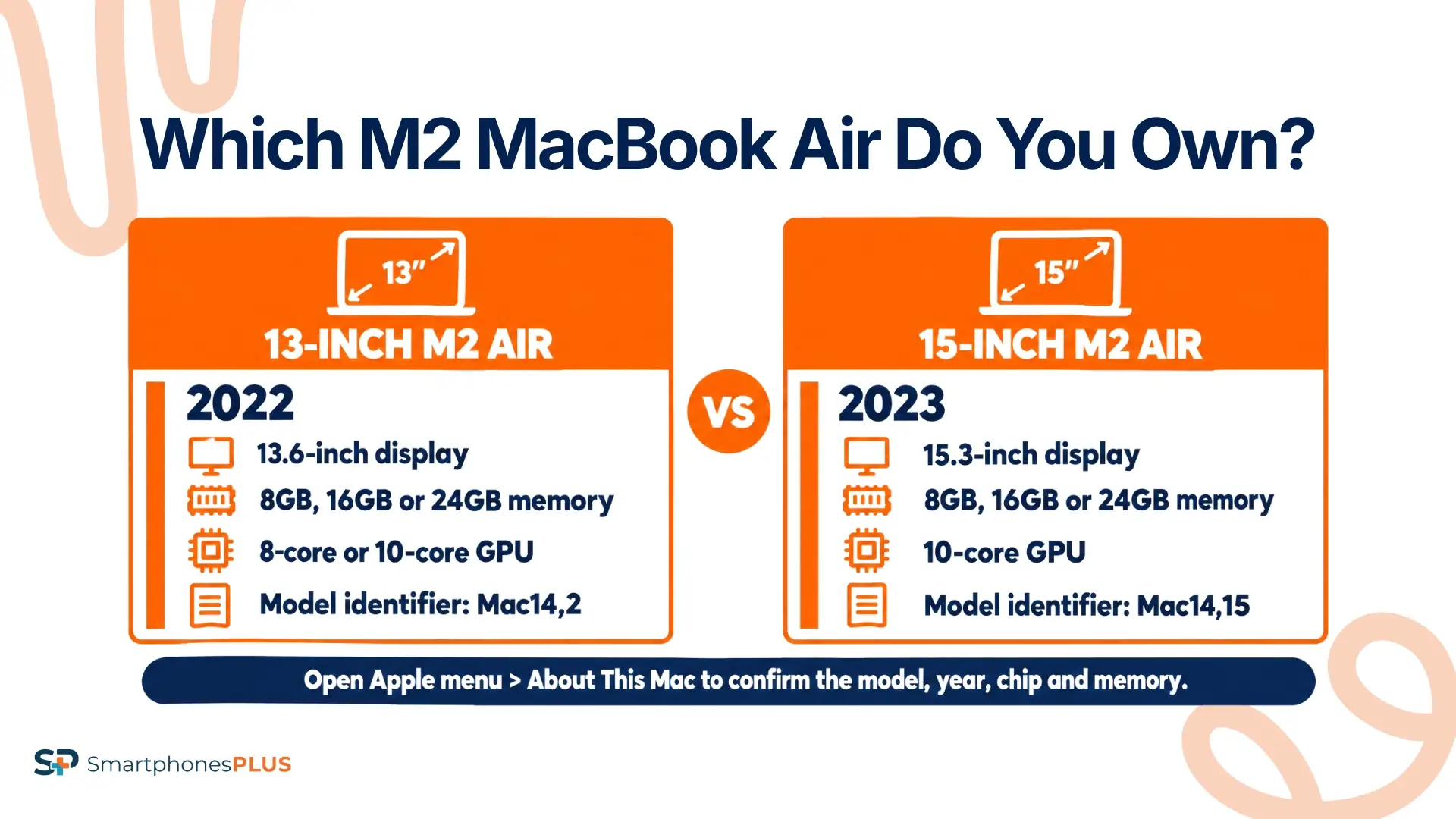
Choose About This Mac from the Apple menu and write down the model name, year, chip, and memory. Apple calls the smaller computer “MacBook Air (M2, 2022)” and the larger one “MacBook Air (15-inch, M2, 2023).” If the name is unclear, Apple’s MacBook Air identification guide lists the model identifiers and serial-number lookup options.
| M2 MacBook Air | Year | Display | GPU choices | Unified memory | Model identifier | Correct selling page |
| MacBook Air 13-inch | 2022 | 13.6 inches | 8-core or 10-core | 8GB, 16GB, or 24GB | Mac14,2 | Sell a MacBook Air 13-inch 2022 |
| MacBook Air 15-inch | 2023 | 15.3 inches | 10-core | 8GB, 16GB, or 24GB | Mac14,15 | Sell a MacBook Air 15-inch 2023 |
Apple’s specifications confirm the two M2 configurations. If you’ve been searching “sell my MacBook Air,” match the screen size and year to the correct product page before you sell your MacBook Air M2. This also keeps models with another chip out of the quote.
Which Specs Change the M2 Offer?
The MacBook Air M2 trade-in quote depends on the model, memory, charger, and condition. The GPU option also matters for the 13-inch version. These details can affect the price even when two computers have the same M2 badge.
Screen Size and Model Year
The two sizes use separate product pages, so choose the model name and year shown in About This Mac. A receipt that says only MacBook Air M2 isn’t specific enough, and measuring the screen can be misleading because the selling pages use rounded size names.
Memory and Graphics
Both M2 Air sizes were available with 8GB, 16GB, or 24GB of unified memory. The 13-inch version adds another choice: an M2 with an 8-core CPU and either an 8-core or 10-core GPU. The 15-inch M2 uses the 10-core GPU.
About This Mac shows the installed memory and chip details. If the GPU count doesn’t appear there, open System Information or use the serial number with Apple’s identification tools. Don’t infer memory from storage. A 512GB SSD doesn’t tell you if the computer has 8GB or 16GB of unified memory.
The memory and GPU selections can change the MacBook Air M2 value, so copy the labels shown on the Mac into the quote tool. A higher-spec configuration can still receive less than another Mac if its condition is worse.
Charger and Physical Condition
SmartphonesPLUS asks if you’re including a functional charger. Test the charger and cable together before selecting Yes. A cable that works only at one angle or an adapter that cuts out shouldn’t be treated as fully working. The live table shows the current charger difference for matching 24GB Good-condition examples.
Next, unplug the Mac and inspect it in bright light. Check the screen for cracks, pressure marks, dead pixels, discoloration, and deep scratches. Look over the lid and bottom case for dents or bends. Test every key, Touch ID, the trackpad, MagSafe connection, both USB-C ports, the headphone jack, speakers, microphones, camera, Wi-Fi, and Bluetooth.
If you’re thinking, “I want to sell my MacBook Air as Flawless,” a clean lid isn’t enough. Missing keys, liquid exposure, a damaged port, or an unreliable trackpad may put the computer in a lower condition grade.
Battery, Accounts, and Management
Check the battery before choosing a condition. Apple lists the cycle count under System Information > Power and the battery condition under System Settings > Battery. Note any Service Recommended message, charging problem, swelling, unexpected shutdown, or unusually fast drain.
Sign out of the Apple Account and turn off Find My so Activation Lock is removed. A company or school Mac may also have mobile device management. The SmartphonesPLUS product pages say active MDM can reduce the offer, and the organization’s administrator may need to remove the Mac from its system.
These account and management details affect eligibility and the MacBook Air M2 value separately from scratches or battery wear. Follow the SmartphonesPLUS account-removal steps, then reset the Mac.
Should You Repair the MacBook Air?
Start with the gap between the current Broken offer and the possible working offer. That gap is the most a repair could add before parts, labor, or other damage are considered.
For a 13-inch 2022 model with 24GB, a 10-core GPU, and a charger, the current Good offer is $351 with these product details. The matching Broken offer is $73 for this configuration.
For a 15-inch 2023 model with 24GB and a charger, compare the Good offer of $409 with its product details against the Broken offer of $59 for the same configuration.
Compare the price gap with a written repair quote. If the repair uses most or all of that difference, selling as-is may make more sense. Check the live offers again before approving the work, and remember that another fault could keep the Mac from qualifying as Good.
Before you sell a MacBook Air M2 with damage, have the repair shop identify the full problem instead of pricing one visible symptom.
How Do You Sell MacBook Air M2?
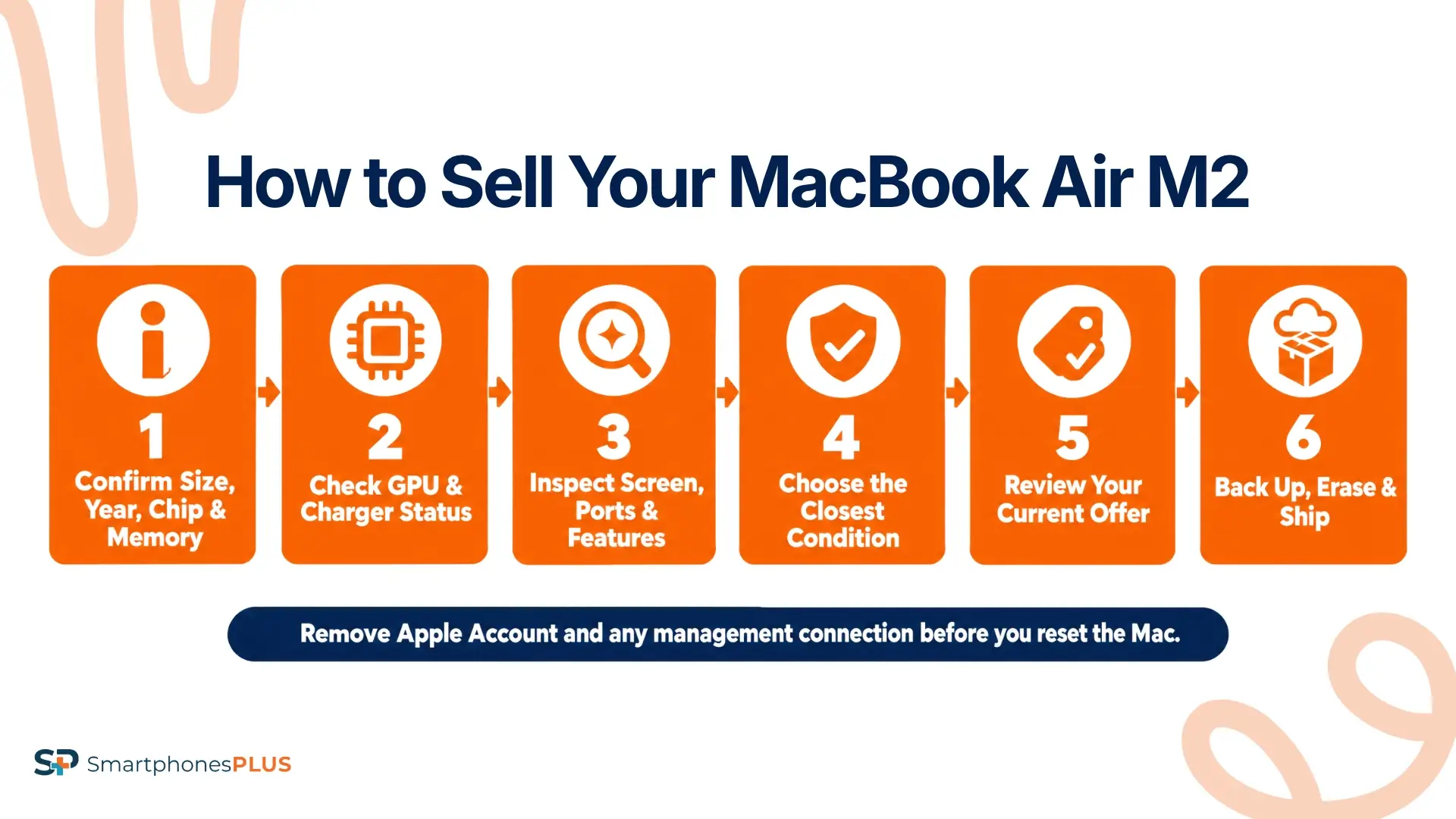
You can sell a MacBook Air M2 through the correct product page once you’ve identified the exact model. Use this order:
- Open About This Mac and confirm the screen size, year, M2 chip, and memory.
- For the 13-inch model, check if the GPU has 8 or 10 cores.
- Select charger status and the condition that matches the whole computer.
- Review the current offer on the correct M2 Air product page.
- Back up the files you want to keep and remove any Apple Account or management connection.
- Use Apple’s Erase All Content and Settings instructions to reset the Mac.
- Turn it off at the setup screen, package the Mac and charger securely, and ship them for inspection.
If you searched “sell my MacBook Air,” don’t erase anything until the backup is complete. You’ll be paid after inspection confirms the model and the details entered in the MacBook Air M2 trade-in order.
Your Exact M2 Gets the Right Quote
The 13-inch and 15-inch M2 Airs use separate product pages. Memory, GPU, charger status, and condition can also change the MacBook Air M2 trade-in result.
New MacBook Air releases can affect demand and pricing. If you plan to sell a MacBook Air M2, confirm the configuration and check the current offer when you’re ready.
Compare the MacBook Air M2 value with the cost of keeping or replacing it. If About This Mac shows another chip or model year, use the MacBook selling page to find the right option.
Frequently Asked Questions
How do I sell MacBook Air M2?
If you searched “sell my MacBook Air,” start by confirming the screen size, year, memory, and GPU option. Then choose the charger status and closest condition, review the offer, back up your files, remove accounts, erase the Mac, and ship it with the prepaid label. Payment follows inspection.
Is every M2 MacBook Air from 2022?
No. Apple released the 13-inch M2 MacBook Air in 2022 and the 15-inch M2 model in 2023. About This Mac shows the model name and year, and Apple’s identification guide lists Mac14,2 for the smaller model and Mac14,15 for the larger one.
Does MacBook memory change trade-in value?
Yes. The quote tool has separate selections for 8GB, 16GB, and 24GB of unified memory. Check About This Mac and enter the installed amount instead of using the SSD storage number.
Do I need the original charger?
The quote asks if a functional charger is included, and the live offer may differ between Yes and No. Test the adapter and cable before selecting Yes. Use the charger you plan to place in the package when checking the price.
Can I sell a company-managed MacBook?
An active MDM profile can reduce the offer and may prevent the next owner from setting up the Mac normally. Ask the authorized company or school administrator to remove it before you submit the order. Don’t attempt to bypass management controls yourself.


