

When You Trade In a Phone, Do They Delete Your Data?
You are ready to upgrade to the latest smartphone, but a nagging worry is holding you back. Your current device is a digital vault containing years of photos, banking apps, personal messages, and sensitive emails. You might be asking yourself: does trade in delete data automatically, or are you putting your privacy at risk?
The reality is that your smartphone knows more about you than your closest friends. Every app you install, every photo you take, and every website you visit leaves a trace. When you decide to sell or trade in your device, that digital footprint goes with it unless you take deliberate action.
The fear of identity theft or a privacy breach is a valid concern, which is why you should prevent your phone from being tracked. Understanding the mechanics of wiping mobile phone data is crucial for your peace of mind and financial security. Many people wonder, does trade-in delete data? The short answer is no, not without your active participation.
In this post, we will demystify the process of wiping mobile phone data. We will explain why relying on your carrier’s basic reset might not be enough, and how to guarantee your personal information is permanently erased before you hand over your device for cash.
Your Digital Footprint After Wiping Mobile Phone Data

Most people think that doing a factory reset completely erases all data from a phone before selling or recycling it, but that is not technically true. A factory reset removes access to your personal data and restores the phone to its original factory settings. On many modern phones, this process also includes re-encrypting storage and clearing user accounts.
However, the underlying storage is not always fully overwritten.
A 2023 research study titled “Assessing data remnants in modern smartphones after factory reset” looked at Android devices running Android 11 and 12. The study found that parts of the encrypted user data can still be accessed in binary form even after a factory reset. Some partitions on the device are not fully wiped, meaning forensic tools can recover information about how the device was used.
This does not mean that all of your data is easily recoverable. The study emphasizes that finding remnants on modern phones still requires advanced forensic tools and expertise. It does show that factory resets alone are not a reliable way to completely eliminate all traces for someone with the right skills and tools.
Does Trade In Delete Data at Carrier Stores?
When you trade in your phone at a carrier store, the representative will usually perform a quick factory reset in front of you. It seems secure, but is it?
While a standard factory reset removes the pointers to your files, making them invisible to the average user, the underlying data often remains on the storage drive until it is overwritten by new information.
This means that with specialized software, a determined individual could potentially recover your deleted photos or documents. Furthermore, carriers process thousands of devices daily. Mistakes happen, and a phone might slip through without a proper wipe. The risk of your carrier forgetting to delete your data during a trade-in is higher than you might think.
SmartphonesPLUS is Certified in Professional Data Destruction
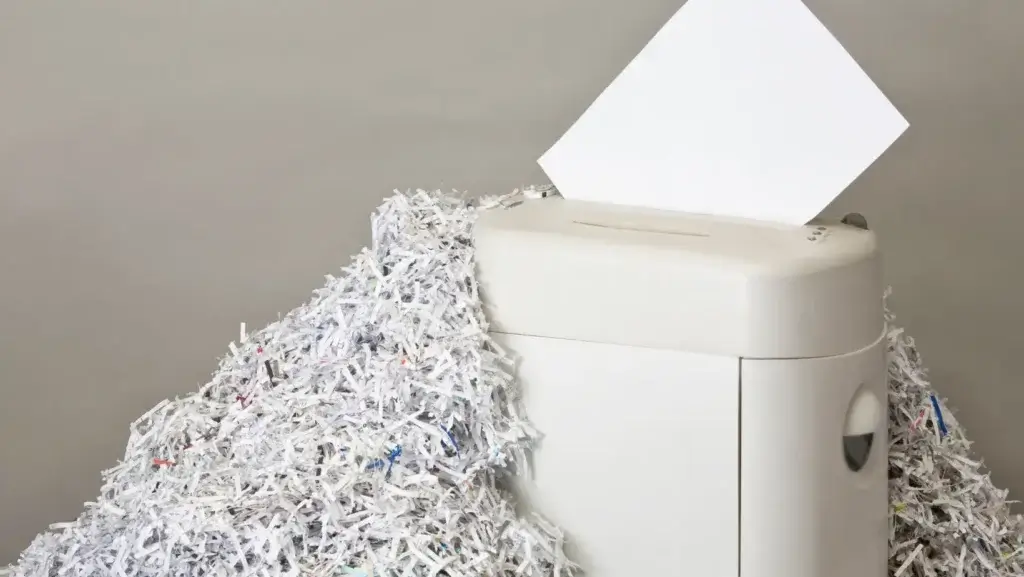
If you want absolute certainty that your information is safe, professional buyback programs are the superior choice. These services specialize in secure data handling and offer a level of protection that a quick in-store reset cannot match.
By using a reputable online buyback service, such as one of the top buyback sites, your device undergoes a rigorous, certified process for wiping mobile phone data upon arrival. This guarantees that every sector of the storage drive is overwritten, making data recovery impossible. You get the peace of mind knowing your privacy is protected, along with a competitive cash payout.
When you trade in a phone with SmartphonesPLUS, we use a specialized software called Phonecheck to fully wipe all the data off of phones and other electronics. Phonecheck is widely used in professional refurbishment and device resale markets. It provides secure multi-pass erasure, detailed compliance reporting, and device diagnostics.
Comparing Your Data Wiping Options
| Feature | Carrier In-Store Reset | Professional Buyback (SmartphonesPLUS) |
|---|---|---|
| Wipe Method | Standard Factory Reset | Certified Data Overwrite (Phonecheck) |
| Security Level | Moderate (Data potentially recoverable) | High (Data permanently destroyed) |
| Verification | None | Certified Process |
| Convenience | Requires store visit | Mail-in from home |
How to Securely Wipe Your Mobile Data Before Trade-In
To guarantee your data is completely safe before you send off your device, follow these actionable steps.
- Back Up Everything: Use iCloud for iPhones or Google Drive for Androids to create a complete backup of your contacts, photos, and app data.
- Sign Out of Accounts: Removing and erasing your account history is critical. On an iPhone, sign out of your Apple ID to remove Activation Lock. On Android, remove your Google account. If you skip this step, the phone is useless to the next buyer, and your payout will be canceled.
- Unpair Devices: Disconnect your Apple Watch, Bluetooth headphones, or any other paired accessories.
- Perform a Factory Reset: Go to your phone’s settings and select the option to erase your phone securely. This is your first line of defense.
- Remove SIM and SD Cards: Physically take out your SIM card and any expandable memory cards before packaging the phone.
Take Control of Your Data and Your Upgrade
You do not have to leave your digital privacy to chance when upgrading your device. The key is understanding the difference between a basic reset and professional data destruction.
Carrier trade-ins might offer convenience, but they often lack the rigorous security protocols needed to guarantee your information is permanently erased. An independent buyback service gives you peace of mind, knowing your data is handled securely, while also putting real cash in your pocket.
When you are ready to upgrade safely, you can trade in your phone with SmartphonesPLUS. Get an instant quote, ship for free, and get paid fast, all while knowing your personal data is permanently and professionally destroyed.

Frequently Asked Questions
Does trade-in delete data automatically?
No. While some carriers perform a basic reset, it is ultimately your responsibility to wipe the device before handing it over. Professional buyback services, however, perform a secondary, secure wipe upon receipt. You should always advocate for yourself and ask about data security before trading in.
Can someone recover my photos after a factory reset?
With a standard reset, it is technically possible using specialized recovery software. That is why using a service that performs a certified data overwrite is crucial for complete security.
What happens if I forget to sign out of my Apple ID?
If Activation Lock is still enabled, the phone cannot be reused, which greatly reduces its value. Most buyback programs will contact you to remove it remotely. If you cannot, the device will be returned or recycled with zero payout.
Is it safe to mail my phone with my data still on it?
You should always perform a factory reset before mailing your phone. However, reputable services like SmartphonesPLUS provide an additional layer of security by performing a certified wipe as soon as the device is processed at their facility.


