
Have you ever looked at your smartphone display and noticed a faint, ghostly outline of a keyboard, a navigation bar, or an app icon that refuses to go away? It is a frustrating experience that makes you question the reliability of your expensive device. You might think your phone is permanently damaged, but that is not always the case.
The difference between a temporary glitch and permanent hardware failure comes down to understanding screen burn vs image retention.
Many people use these terms interchangeably, but they represent two entirely different problems with vastly different financial consequences. One is a minor annoyance that resolves itself, while the other is a permanent defect that significantly reduces the resale value of your device. When it comes time to upgrade, knowing which issue you are dealing with is crucial.
Carriers and automated trade-in algorithms often lump both of these issues together under a generic “damaged display” category. This automated approach can cost you hundreds of dollars if your phone only has a temporary issue. By learning how to identify screen burn vs image retention, you can protect your investment and get a fair price when you decide to sell.
The Science Behind Your Smartphone Display
To understand why these ghostly images appear, we need to look at how modern smartphone screens work. Most premium devices today use OLED (Organic Light-Emitting Diode) or AMOLED technology. These screens are praised for their vibrant colors and deep blacks because each pixel produces its own light.
However, this individual pixel illumination comes with a trade-off. When certain pixels are forced to display the same static image at high brightness for extended periods, they age faster than the surrounding pixels. This uneven aging is the root cause of both temporary and permanent display issues.
According to display experts at RTINGS, OLED displays often include features such as pixel shifting and screen refresh tools designed to reduce the risk of long-term image retention, particularly on larger displays like monitors and TVs.
What is Image Retention?
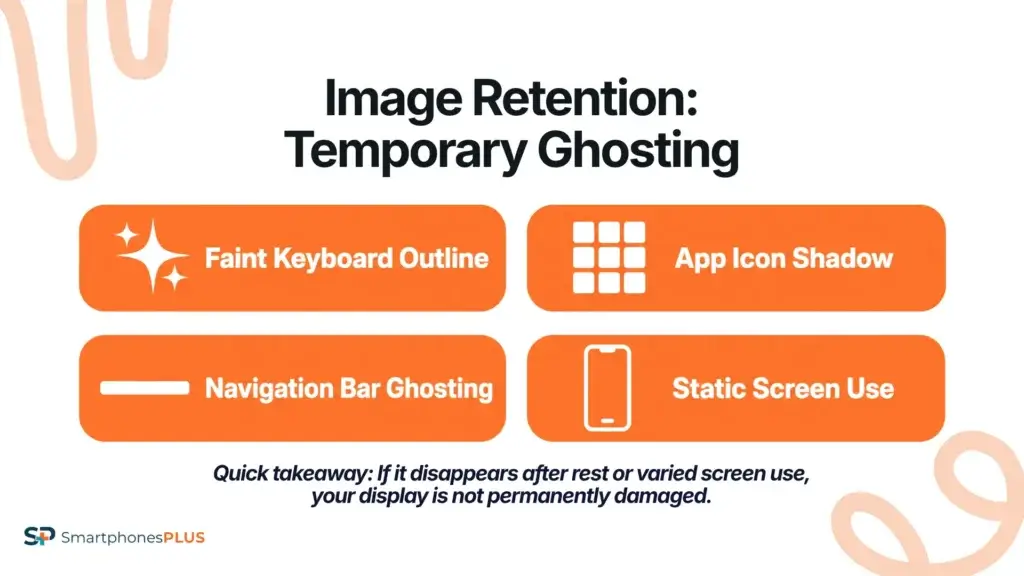
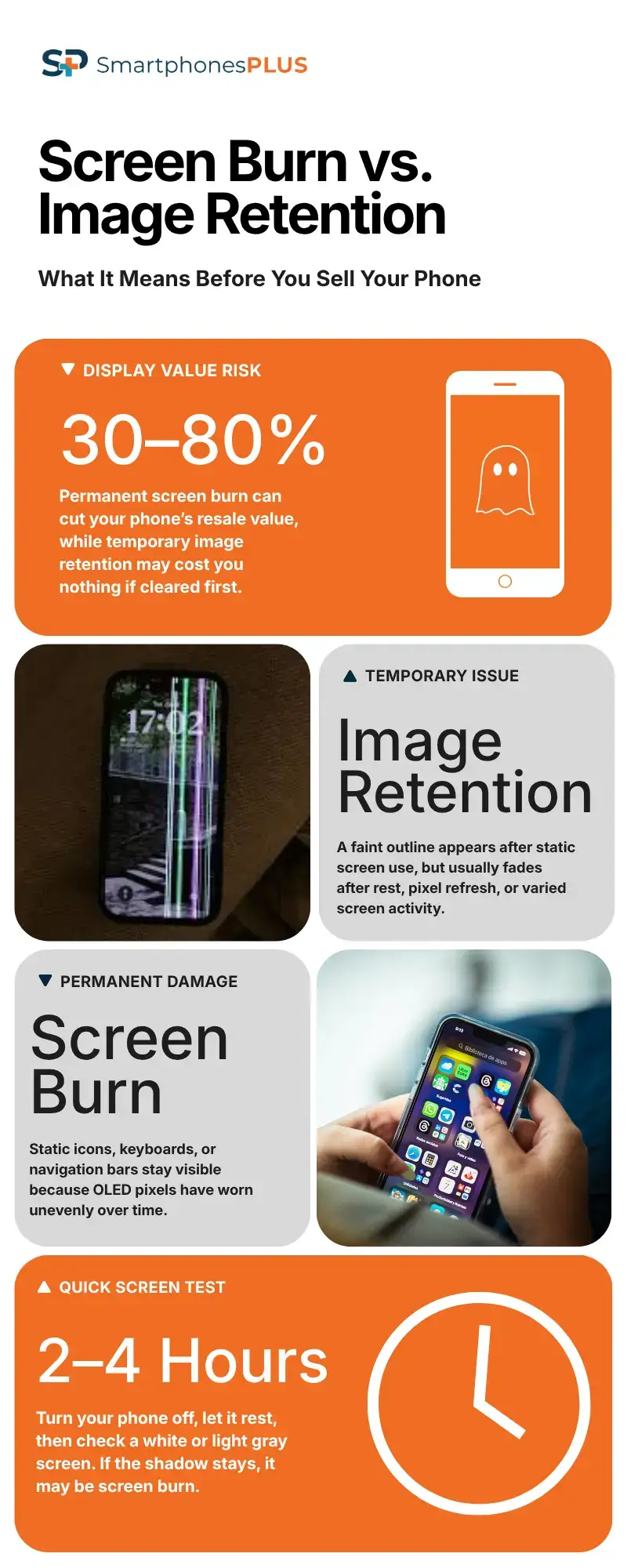
Image retention is a temporary phenomenon where a faint outline of a previously displayed image lingers on the screen. It typically happens after you have been looking at a high-contrast, static element for a while, such as a GPS map, a bright white webpage, or a social media feed with a fixed header.
The key characteristic of image retention is that it goes away on its own. The pixels have essentially become “stuck” in a certain state due to a buildup of electrical charge, but they are not permanently damaged. Think of it like a muscle cramp: uncomfortable and alarming in the moment, but not a sign of lasting injury.
Image retention is far more common than most people realize. If you have ever noticed a faint ghost of your keyboard on a white background immediately after typing a long message, you have experienced it firsthand. The good news is that this does not affect your phone’s trade-in value at all, provided you clear it before submitting the device for evaluation.
How to Fix Image Retention
If you suspect your phone is experiencing image retention, the solution is simple. Turn off the display and let the device rest for a few hours. Alternatively, you can play a colorful, fast-moving video in full screen to force the pixels to cycle through different colors and reset themselves.
Many smartphone manufacturers also include a built-in “pixel refresh” or “screen burn protection” feature in the display settings. Running this tool can accelerate the recovery process and is worth doing before you sell your device.
If the ghostly image disappears after a period of rest or varied use, you can breathe a sigh of relief. Your phone has not suffered any permanent damage, and its trade-in value remains intact.
What is Screen Burn?
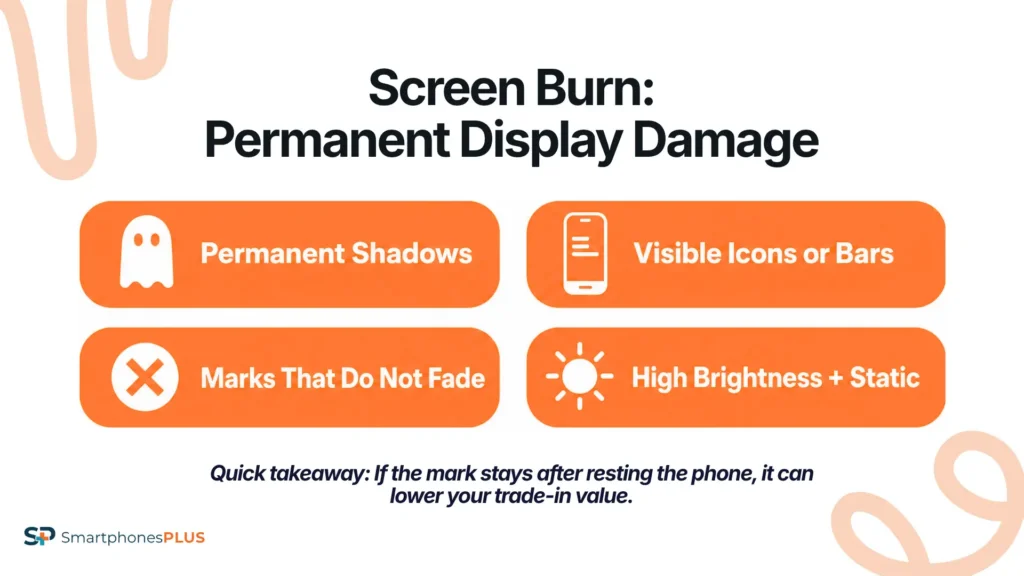
Screen burn, also known as burn-in, is a much more serious issue. It occurs when the organic compounds within the OLED pixels degrade unevenly due to prolonged exposure to static images. The pixels that are constantly illuminated at high intensity simply wear out faster than the pixels around them.
Unlike image retention, screen burn is permanent. The affected pixels have physically lost their ability to produce light at the same intensity as the surrounding pixels. This leaves a permanent, visible shadow on the display that no amount of resting or pixel-refreshing videos can fix.
Common culprits for screen burn include the battery icon, the Wi-Fi signal indicator, and the navigation buttons at the bottom of the screen. These elements are almost always present and rarely change, making them prime candidates for uneven pixel aging. People who keep their screen brightness at maximum and use their phones for many hours a day are most at risk.
Identifying Screen Burn vs Image Retention
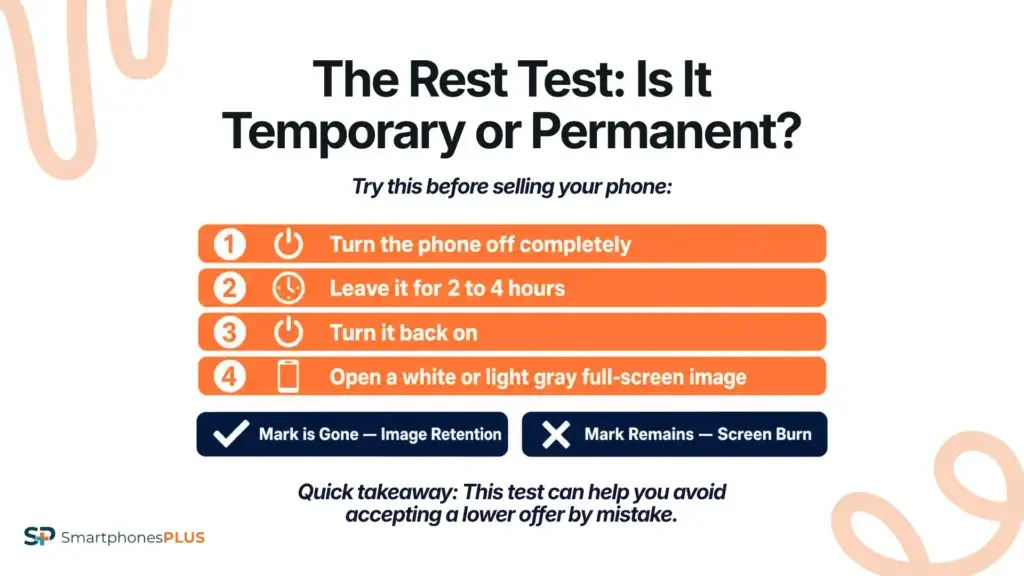
The simplest way to determine which issue you are dealing with is the “rest test.” Turn your phone off completely and leave it for at least two to four hours. Then turn it back on and display a solid white or light gray image in full screen.
If the ghostly outline has disappeared, you had image retention. If the shadow is still clearly visible, you are dealing with screen burn. This distinction is critically important before you submit your device for a trade-in, because the financial difference between the two is substantial.
The Financial Impact of Screen Burn vs Image Retention
When you decide to sell your phone, the difference between screen burn vs image retention becomes a matter of dollars and cents. Trade-in kiosks or carrier trade-in programs often use generic grading systems that penalize any display imperfection heavily, regardless of whether the issue is permanent or temporary.
If you send in a phone with temporary image retention, an automated system might flag it as screen burn and slash your payout. This is why it is essential to test your device and clear any temporary retention before sending it in for evaluation.
On the other hand, if your phone genuinely has screen burn, you need to be realistic about its value. A permanently damaged display requires a full screen replacement, which is one of the most expensive repairs for any smartphone. The cost of an OLED screen replacement can range from $200 to over $400, depending on the model.
The Value Loss Table
To give you a clearer picture of how these issues affect your wallet, we have broken down the typical value drop for different display conditions. This table illustrates why understanding screen burn vs image retention is so important before you sell.
| Display Condition | Description | Estimated Value Loss |
|---|---|---|
| Flawless | No visible marks, perfect pixel uniformity. | 0% |
| Image Retention | Temporary ghosting that disappears after resting. | 0% (If cleared before selling) |
| Mild to Severe Screen Burn | Faint permanent shadows, only visible on solid backgrounds. | 30% – 80% |
| Severe Screen Burn | Dark, highly visible permanent outlines affect normal use. | 50% – 80% |
As the table shows, confusing a temporary issue with a permanent one can lead you to accept a lowball offer from a carrier or an automated trade-in kiosk system. By knowing the facts, you can confidently seek out a buyer who evaluates devices accurately and pays you what your phone is actually worth.
Why Carrier Trade-Ins Fall Short
Carriers rely on speed and volume when processing trade-ins. Their automated systems and store representatives often lack the time or expertise to distinguish between a temporary display glitch and permanent damage.
Furthermore, carrier trade-in offers are usually paid out in monthly bill credits over two or three years. If they downgrade your phone’s condition due to a misdiagnosed display issue, you are locked into a lower credit amount for the duration of your contract. There is no appeal process, and there is no way to renegotiate once you have accepted the terms.
This lack of transparency and flexibility is a major drawback for consumers. You deserve a fair evaluation based on the actual condition of your hardware, not a generic algorithm that cannot tell the difference between a temporary pixel quirk and a permanent defect. For a deeper look at why carrier programs often shortchange sellers, our article on carrier trade-in vs selling for cash breaks down the full picture.
How Phone Age Affects Display Health
The age of your phone plays a significant role in the likelihood of experiencing display issues. Newer OLED panels are manufactured with improved materials and more sophisticated pixel management software, making them more resistant to burn-in than older models.
However, even the most modern displays are not immune. The risk increases significantly after two or three years of heavy use. If you are approaching that window and you use your phone at maximum brightness for extended periods, it is worth checking your display health before it becomes a problem.
Phones that are more than three years old are also more likely to have experienced some degree of pixel degradation, even if it is not yet visible to the naked eye. This is another reason why understanding how phone trade-in values drop over time is so important. Waiting too long to sell can mean losing value on multiple fronts simultaneously.
Which Phones Are Most Vulnerable?
Not all OLED phones are equally susceptible to display issues. Devices that run at very high brightness levels, have always-on display features enabled, or are used heavily for navigation and gaming tend to show signs of pixel aging sooner.
Flagship phones from Apple, Samsung, and Google all use OLED or AMOLED displays, which means they are all subject to the same physics. However, the quality of the panel and the effectiveness of the built-in pixel management software can vary significantly between manufacturers and even between model generations.
If you own a phone with an always-on display feature, it is worth considering whether the convenience is worth the long-term impact on your device’s resale value. Disabling this feature and using a shorter screen timeout can meaningfully extend the life of your display.
The Better Way to Sell Your Phone
Instead of relying on carrier or kiosk algorithms, consider selling your device to a dedicated online buyback company. These companies specialize in evaluating used electronics and employ trained technicians who know how to accurately assess display health.
When you sell to a reputable buyback service, you get a straightforward cash offer. There are no bill credits, no long-term contracts, and no hidden fees. You receive a fair market price based on a professional inspection that actually distinguishes between temporary and permanent display issues.
If your phone has screen burn, a buyback company will still offer you a competitive price based on the salvageable parts and the overall condition of the device. If it only has image retention, you can clear it beforehand and get the full value for a device with a flawless display.
Protecting Your Display Before You Sell
To get the most money for your phone, take proactive steps to prevent display issues before they start. Keep your screen brightness at a reasonable level and enable auto-brightness, which automatically adjusts the display based on ambient light conditions.
Set your screen timeout to a short duration, such as 30 seconds or one minute, so the display turns off when not in use. This simple habit dramatically reduces the cumulative hours of static image exposure that lead to pixel degradation.
If you are preparing to sell, run the pixel refresh tool in your display settings, perform the rest test described earlier, and then do a full factory reset. This not only protects your personal data but also gives the buyer a clean slate to evaluate the hardware. Our guide on what happens to your data when you trade in a phone covers the data wiping process in detail.
What to Do If Your Phone Has Screen Burn
If you have confirmed that your phone has genuine screen burn, do not panic. The device still has value, and there are still good options available to you. A professional buyback company will assess the severity of the burn and make you an offer based on the current market for that specific model in that specific condition.
Do not attempt to hide the issue or misrepresent the condition of your device when selling. Reputable buyback companies inspect every device upon arrival, and if the condition does not match what was described, your offer will be revised downward. Being upfront about the issue leads to a smooth transaction and protects your reputation as a seller.
Trade In Your Phone Today
Are you ready to upgrade and want a fair, transparent evaluation of your current phone? Skip the carrier algorithms and get a true cash offer. Trade in your device with SmartphonesPLUS today and get paid quickly and securely, with a professional inspection that knows the difference between screen burn vs image retention.
FAQs About Smartphone Display Issues
How can I test my phone for screen burn?
You can test for screen burn by displaying a solid white or light gray image in full screen after letting the phone rest for several hours. If you still see faint outlines or shadows of icons, keyboards, or navigation bars, the issue is likely permanent burn-in rather than temporary image retention.
Does a factory reset fix image retention?
A factory reset will not fix image retention directly, but turning the screen off during the reset process gives the pixels time to rest. The most effective fix for image retention is simply leaving the display off for a few hours or running the built-in pixel refresh tool in your phone’s display settings.
Will screen protectors prevent burn-in?
No, screen protectors only protect the exterior glass from scratches and cracks. They have no effect on the internal OLED pixels or how they age over time. The only way to prevent burn-in is to manage your screen brightness and avoid leaving static images on the display for extended periods.
Can I sell a phone with severe screen burn?
Yes, you can still sell a phone with severe screen burn. Reputable buyback companies will purchase the device for its salvageable components, though the payout will be lower than a flawless device. Being upfront about the condition leads to a smooth transaction.
Is it worth replacing a burned-in screen before selling?
In most cases, it is not worth replacing the screen before selling. The cost of an OLED screen replacement usually exceeds the additional value you would gain from selling a flawless device, making the repair a net financial loss.


